Latvia Rebuild Map v1.28 (1.60.x) for ETS2
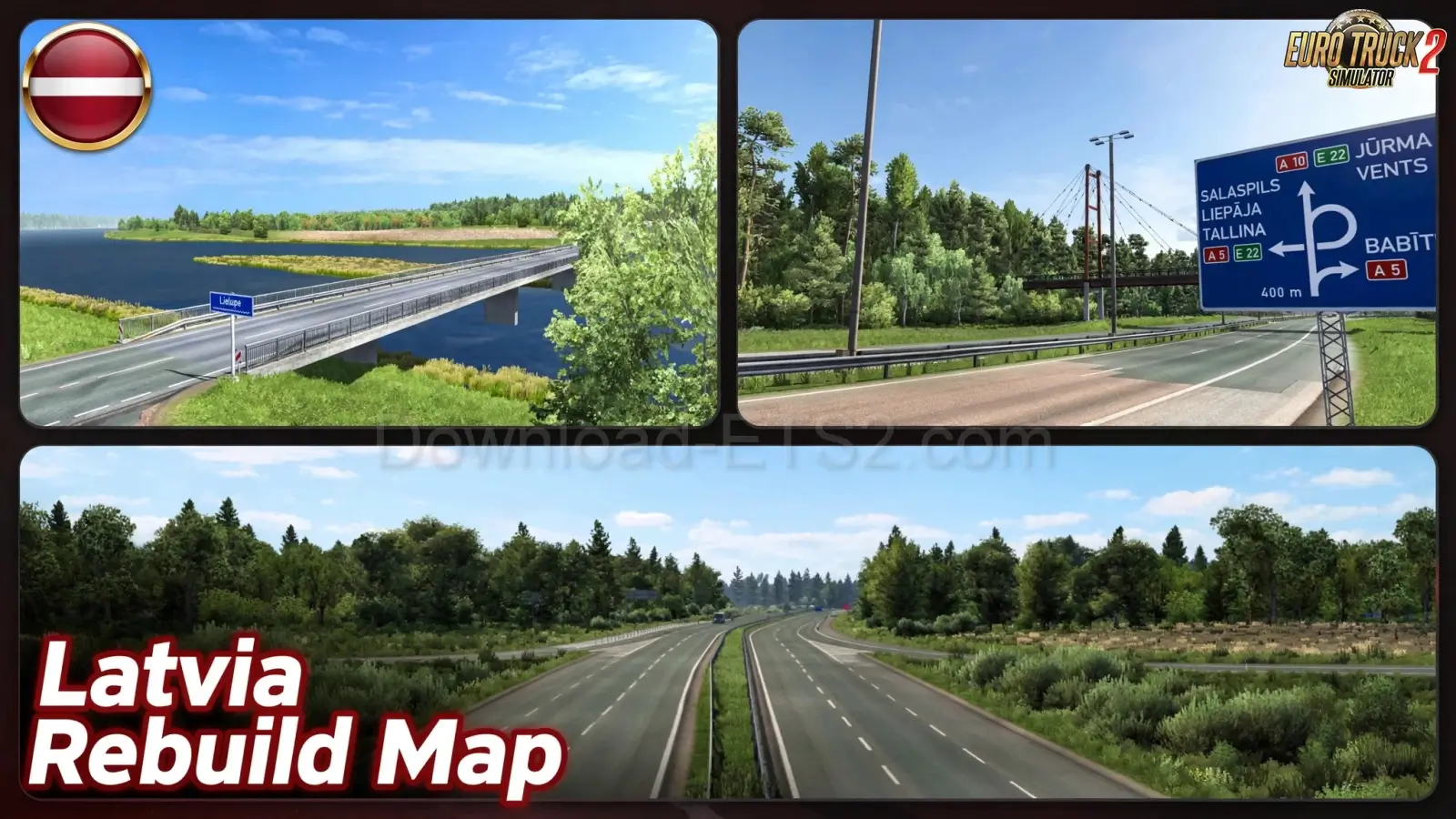 Mod Updated to v1.28
v1.60.x
Mod Updated to v1.28
v1.60.x
Features Latvia Rebuild:
Map Enhancements & Design:
– 🛣️ Adds 3 new junctions on the A10 road
– 🛠️ Redesigns A5 sections and widens A8 to a bridge
– 🏙️ Introduces the city of Jūrmala and the P98 road
– 🧭 Places new companies and cargo points across the map
– 🌍 Focuses on the Riga metropolitan area for dense urban trucking
Road Additions & Reconstructions:
– 🛤️ Adds roads like P98, P131, P128, and P133
– 🛣️ Enhances major highways:
• A10 – Jūrmala highway reskin and reconstruction
• A5 – Redesigned segments
• A8 – Widened to bridge
– 💰 Includes realistic toll roads and hidden roads for exploration
City Expansions:
– 🏘️ Adds or expands Talsi and Jūrmala
– 🏭 Integrates placed companies for delivery diversity
– 🏙️ Enhances Riga metro area with more detailed infrastructure
Companies & Industries:
– 🏗️ Adds new cargo points like Citro in Engure
– 🧩 Places ProMods-compatible companies in updated areas
– 🚚 Supports diverse delivery options across Latvia
🪧 Signage & Visual Improvements:
– 🛑 Enhanced signage templates and added missing signs
– 🌿 Optimized vegetation, terrain, and high-poly roads
– 🎨 Matches real-life aesthetics for immersive driving
Bug Fixes & Polish:
– 🔧 Fixes sector overlaps (e.g., northern Lithuania)
– 🚧 Removes invisible walls, levitating signs, and terrain glitches
– 🚦 Improves traffic flow on local roads
Changes in v1.28:
- 🔄 Compatibility update for ETS2 1.60 / ProMods 2.83
🎮 Tested on game version 1.60.x


- 🔄 Compatibility update for ETS2 1.57 / ProMods 2.77
Download Link 1
Changes in v1.28 (1.56.x):
- 🔄 Compatibility update for ETS2 1.56 / ProMods 2.76
Download Link 1 | Download Link 2
Changes in v1.25 (1.56.x):
- Fixed map sector overlap with north Lithuania
- Added new sign templates and signs on and enhanced the Jūrmala highway (A10) in accordance with real life re-construction
- Added toll road to Jūrmala
- Small bug fixes and added new signs
Download Link 1
Install «Latvia Rebuild Map v1.28 (1.60.x) for ETS2»Quick setup guide for Euro Truck Simulator 2 Guide4 Steps
- Download the mod archive from one of the mirrors below.
- Extract it with WinRAR or 7-Zip if the file is compressed.
- Copy the
.scsfile toDocuments / Euro Truck Simulator 2 / mod. - Activate it in Profile → Mod Manager, then launch the game.
Policy & Disclaimer for «Latvia Rebuild Map v1.28 (1.60.x) for ETS2»Important safety and third-party download information ImportantNotice
Download links may lead to third-party websites. We do not host, upload, modify or control external files and cannot be responsible for their advertising or content.
- Scan every download with current antivirus software.
- ETS2 mods normally use
.scsor.zipfiles; never run unknown.exeinstallers. - All trademarks and mod content belong to their respective owners.
For privacy details or removal requests, read our Privacy Policy or contact Admin.
Download «Latvia Rebuild Map v1.28 (1.60.x) for ETS2»Choose a verified mirror and download safely FreeSafeTested
«Latvia Rebuild Map v1.28 (1.60.x) for ETS2»
The download links on this page redirect to external third-party websites. We do not host, upload or control any of these files. Always verify the file extension — only .scs and .zip files are safe. Never run .exe installers from unknown sources. Scan all downloads with antivirus software before use.
Download links may redirect to third-party websites. We are not responsible for ads or content displayed there. To request removal — contact Admin




Leave a Comment
1 comments
🛠️ Help the community roll smoothly! Share your honest feedback, bug reports, or screenshots.
Please confirm if this mod works with the latest ETS2 patch. Your review helps the community keep on trucking! 🛣️💨